Phonic Docs
  • Tutorials
  • Docs
  • Contact

›Survey Components

Tutorials

  • How to Create an Audio Survey
  • Embed Microphone in a Webpage
  • Embed a Full Survey
  • Integrate With Decipher
  • Integrate With Qualtrics

Survey Components

  • Question Types
  • Stimuli
  • Timers
  • Randomization
  • Survey Logic
  • Duplicating Surveys & Questions
  • Deleting Data

Collaboration

  • Sharing and Exporting
  • Email Notifications

Analytics

  • Analytics
  • Transcription
  • Data Visualization
  • Google Analytics

Deleting Data

Deleting A Survey

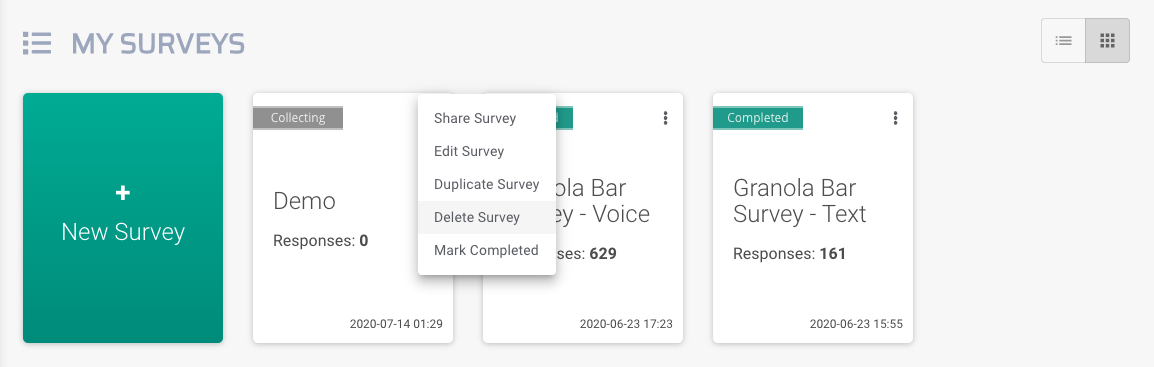
Surveys can be deleted by clicking on the menu icon for a survey in the Surveys tab. This will prompt a drop down menu with various options, including Delete Survey. Deleting a survey also deletes all responses collected for that survey. Survey deletion is permanent.
deleting survey screenshot

Deleting A Response

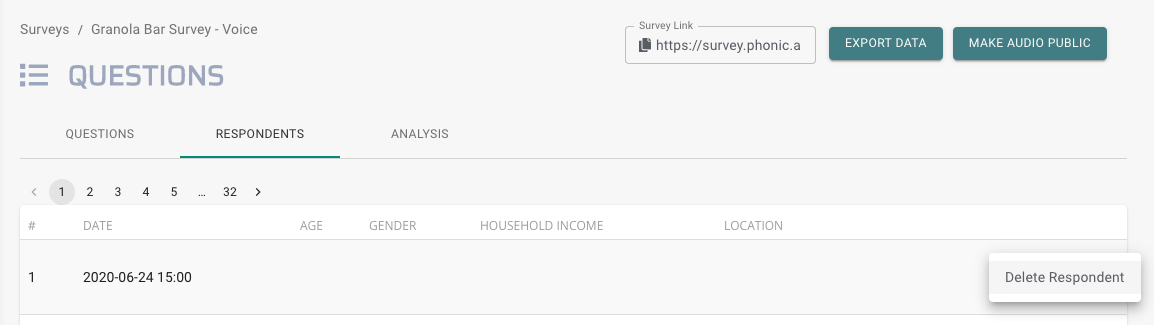
Testing a live survey is just one way that unwanted responses get generated. These can be deleted by clicking the menu icon for a row in the Respondent tab and selecting “Delete Respondent”. Response deletion is permanent.
deleting response screenshot

Deleting A Question

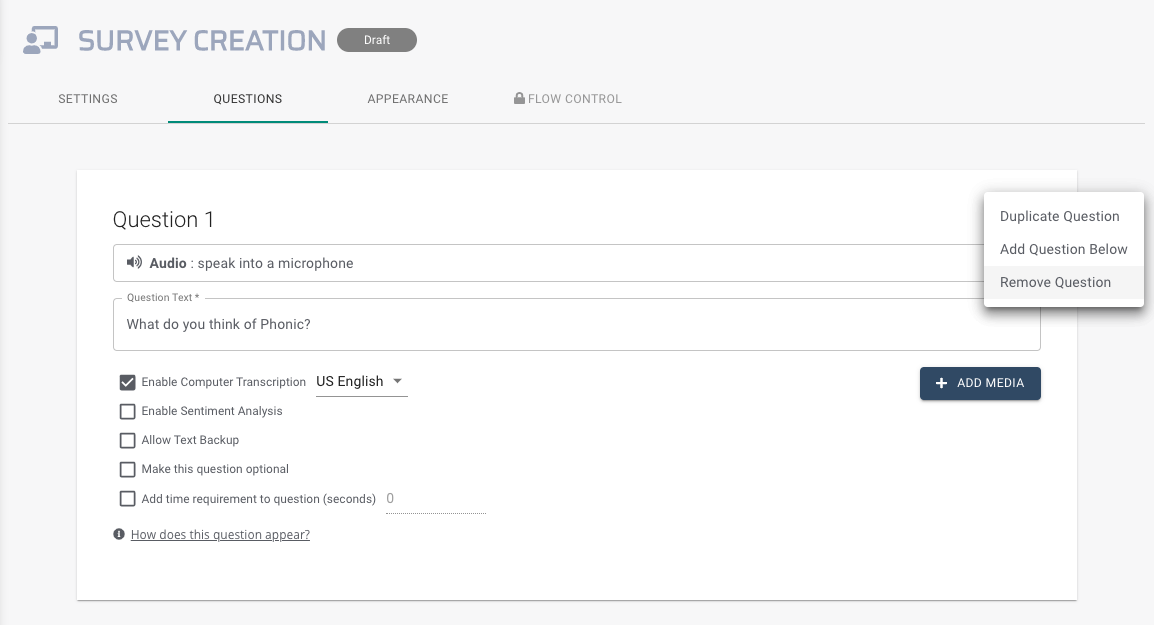
Questions can be deleted from surveys by clicking on the menu icon for a question in survey creation and selecting “Remove Question” from the dropdown. Removing a question from a live survey will cause all responses to that question previously collected to be lost.
deleting response screenshot

← Duplicating Surveys & QuestionsSharing and Exporting →
Phonic Docs
Tutorials
Create An Audio SurveyCreate An Embedded SurveyIntegrate with Other Platforms
Docs
Question TypesStimuliTimers
-
Follow @PhonicAI
Copyright © 2021 Phonic Inc.